ShopDreamUp AI ArtDreamUp
Deviation Actions





Description
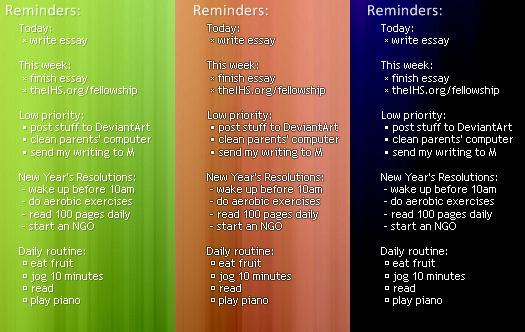
A simple Rainmeter config file which displays a text (C:\todo.txt by default) file on your desktop.
Included are three presets: regular, shadow, outline
Clicking on a rectangle on top-left (not in picture) opens the .txt file!
Easy to customize (one location for size, color, etc)
Have fun!
Big thanks to the guy who posted the code for displaying txt files, I used it and his "Reminders:" ... can't find that page again
Included are three presets: regular, shadow, outline
Clicking on a rectangle on top-left (not in picture) opens the .txt file!
Easy to customize (one location for size, color, etc)
Have fun!
Big thanks to the guy who posted the code for displaying txt files, I used it and his "Reminders:" ... can't find that page again
Comments27
Join the community to add your comment. Already a deviant? Log In
Hello again Boris, I was able to download your skin: I loaded and modified the path to my file. It's working fine.
I have some issues that the em-dash/bullet, is displayed by weird characters. My file is created in the Mac Os but propagated into resophNotes, and what is important, in Windows Notepad is OK displayed. But when using the skin is showing these strange characters.
Do you know, there is a setting, I can specify in the ini file, if the character set is UTF-8, ANSI, etc?Similar with:
FontColor..
FontSize...
Maybe:
Font CharacterSet???
Thank you for the the skin!
I have some issues that the em-dash/bullet, is displayed by weird characters. My file is created in the Mac Os but propagated into resophNotes, and what is important, in Windows Notepad is OK displayed. But when using the skin is showing these strange characters.
Do you know, there is a setting, I can specify in the ini file, if the character set is UTF-8, ANSI, etc?Similar with:
FontColor..
FontSize...
Maybe:
Font CharacterSet???
Thank you for the the skin!